
MailXstream’s Features at a Glance

Flexible Submission
Print directly from your desktop, upload online, or automate via API.

Versatile Formatting
Upload single or batch PDFs and ZIPs with zero document redesigns.

Soft Inserts
Drop newsletters or promotional inserts into statement envelopes with no extra postage.

Smart Cover Pages
Fix envelope window alignment instantly without changing your document layout.

Householding
Automatically bundle multiple documents to the same address to save on postage.

Real-Time Tracking
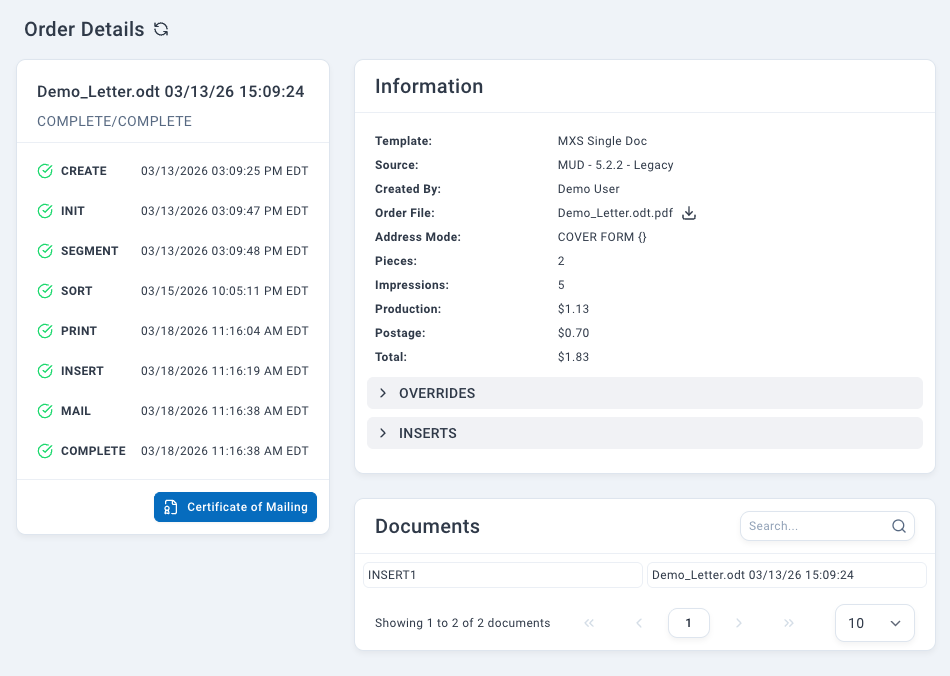
Monitor mail 24/7 from upload to USPS handoff with compliance-ready archives.
Multiple Submission Methods
MailXstream streamlines your business workflow by offering flexible document submission methods tailored to your exact operational needs:
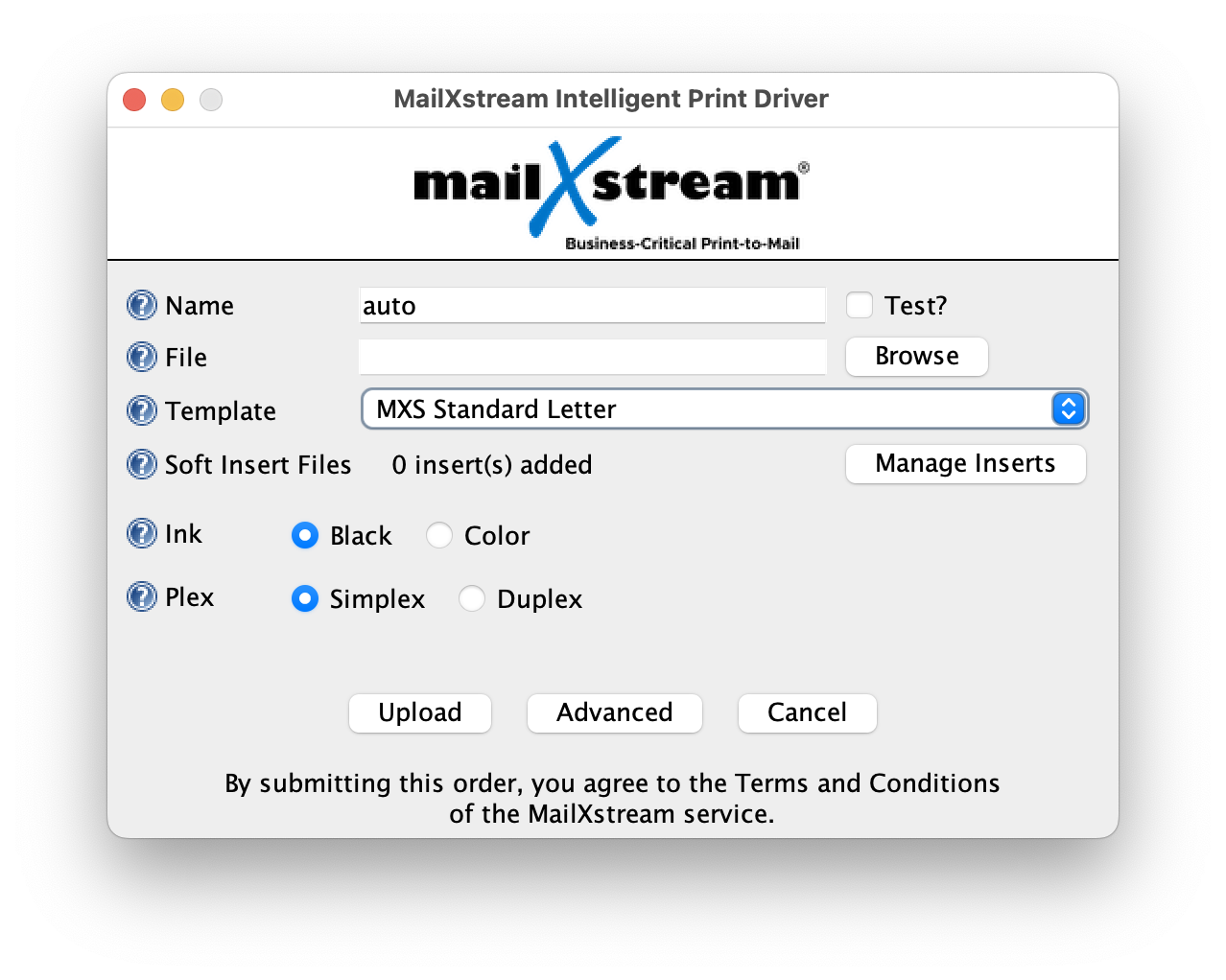
- Desktop Print Drivers: Print files instantly using native drivers for Windows and macOS that automatically generate a print-ready PDF and allow you to select your preferred mailing options right from your screen.
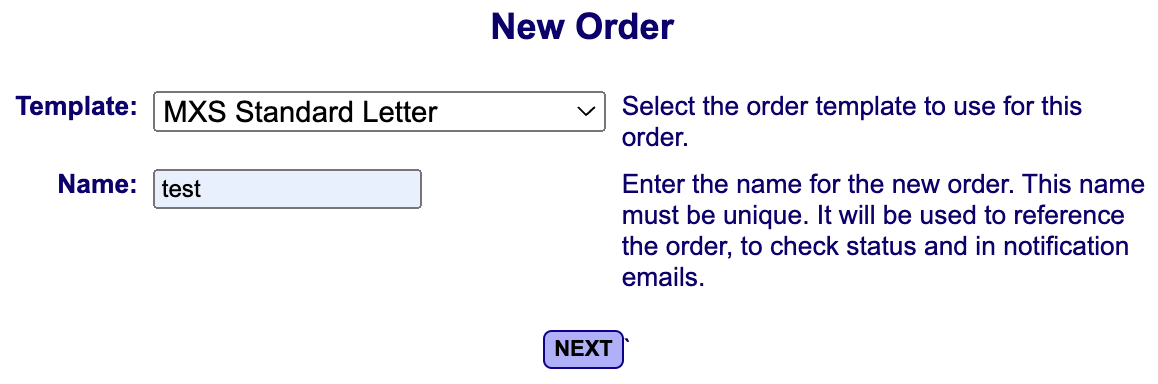
- Secure Web Upload Portal: Manage and transmit documents manually through any standard web browser for quick, direct control over your print-to-mail orders.
- Automated Web Services Interface: Integrate our print-to-mail services directly into your existing software applications to enable fully automated, hands-off data transmission.
Multiple Order Formats
MailXstream integrates with your existing workflow by supporting a variety of document processing formats. Your team can upload files exactly as they are generated by your internal billing or invoicing systems, ensuring zero manual reformatting:
- Single PDF, Single Document: Upload one file addressed to a single recipient, a standard layout supported across all of our submission channels.
- Single PDF, Bulk Documents: Submit a single master file containing statements for multiple different addresses. Our platform automatically handles the data parsing, splitting the master PDF into separate mail pieces.
- ZIP Archive of Individual PDFs: Bundle multiple separate, single-document PDFs into a compressed ZIP file for rapid batch processing.
- ZIP Archive of Bulk PDFs: Upload a compressed archive containing multiple master PDFs. MailXstream extracts the files, separates the nested documents, and routes them to their respective recipients automatically.
- Custom MetaData Packages: Pair your print-ready PDFs with matching metadata files for advanced addressing and automated routing, ideal for complex integrated enterprise solutions using our web portal or API.
Soft Inserts
The MailXstream Soft-Inserts feature seamlessly adds newsletters, marketing collateral, and company announcements directly into your outbound delivery envelopes alongside monthly statements or invoices. This eliminates the need for separate marketing deployments or printing excess copies in-house.
By bundling these targeted updates with your primary billing documents, you ensure customers receive vital information instantly while maximizing communication efficiency and avoiding additional postage costs. To learn even more about soft inserts, check out this resource.

Cover Page
Our intelligent Cover Page feature resolves common document formatting and address alignment issues by providing automated layout fixes without altering your original files. If your address block does not match standard window envelope templates and cannot be repositioned, our team will design a compliant cover sheet to serve as the first page of your mailing.
This custom order template allows you to seamlessly automate your print-to-mail workflow while maintaining complete document integrity, requiring zero programming or costly layout redesigns. To learn even more about our cover pages feature, click here.

Householding
With rising postal rates, mailing multiple separate envelopes to the same recipient is an unnecessary operational expense that drains your budget and impacts customer satisfaction.
MailXstream’s automated householding feature resolves this issue by scanning your data streams to combine separate documents bound for the same delivery address or parent-child account relationships, even if they originate from entirely different production batches. By merging these individual statements into a single outbound mail piece with an envelope size determined by your total page count, you achieve substantial postage savings and eliminate excess material waste while projecting a highly professional brand image. Check out our additional resources on householding here.

Online Tracking
MailXstream provides complete transparency across your print-to-mail pipeline with comprehensive real-time tracking from initial data upload to official handoff at the USPS.
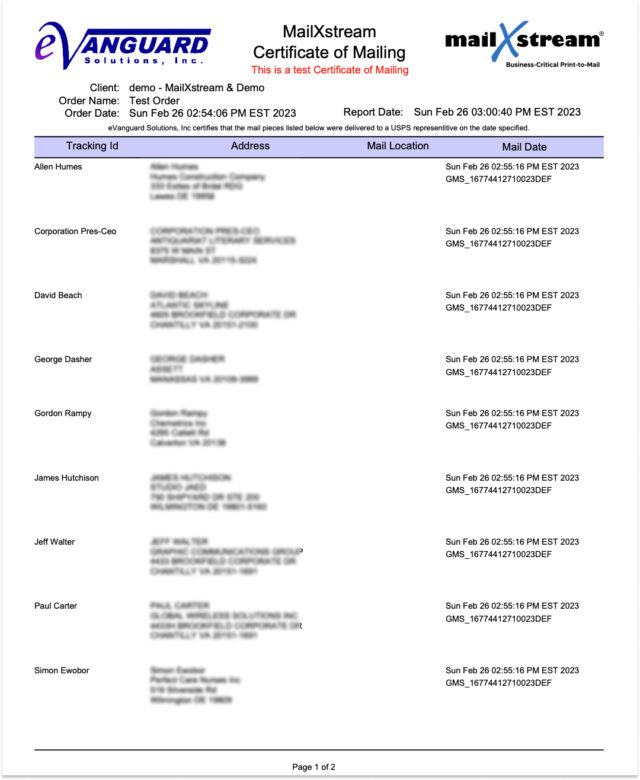
All critical order details and tracking metrics are securely maintained within our online document archive for 90 days, enabling easy internal audits and seamless reporting. Following successful distribution, users can readily retrieve an official MailXstream Certificate of Mailing that documents the exact time and location each mail piece entered the postal network to guarantee absolute regulatory compliance.